







5 Ways To Vertically Center With CSS
1. Margin Auto
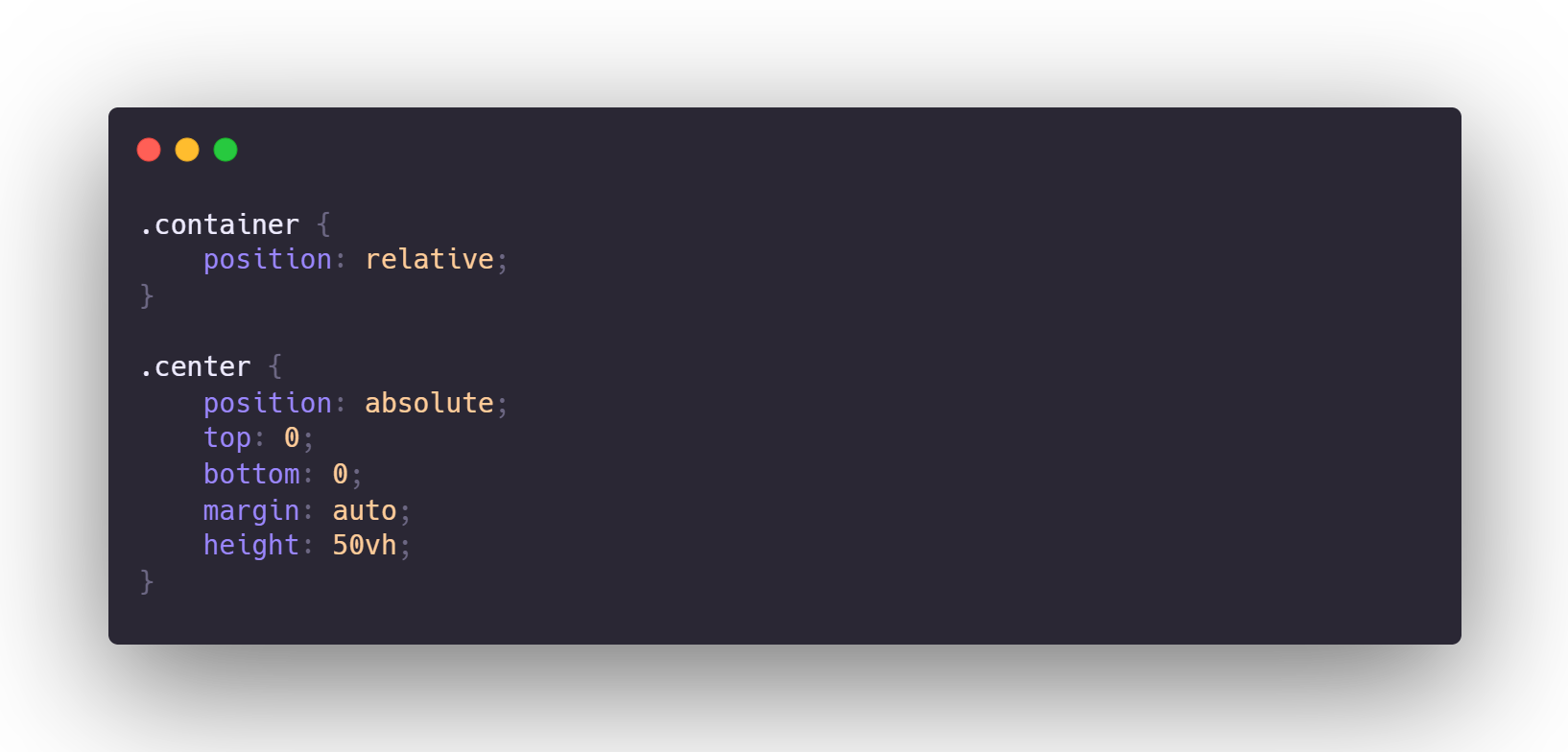
The position property can be used to center an element vertically, which is an older CSS trick.
We can set the margin to auto and give the top and bottom positions of the element equal values. This automatically places the element on the y-axis with proper margins. To prevent the element from spanning the entire height, we must set the height of the element specifically. We've set the top and bottom positions to zero in this example.
2. Negative Margins
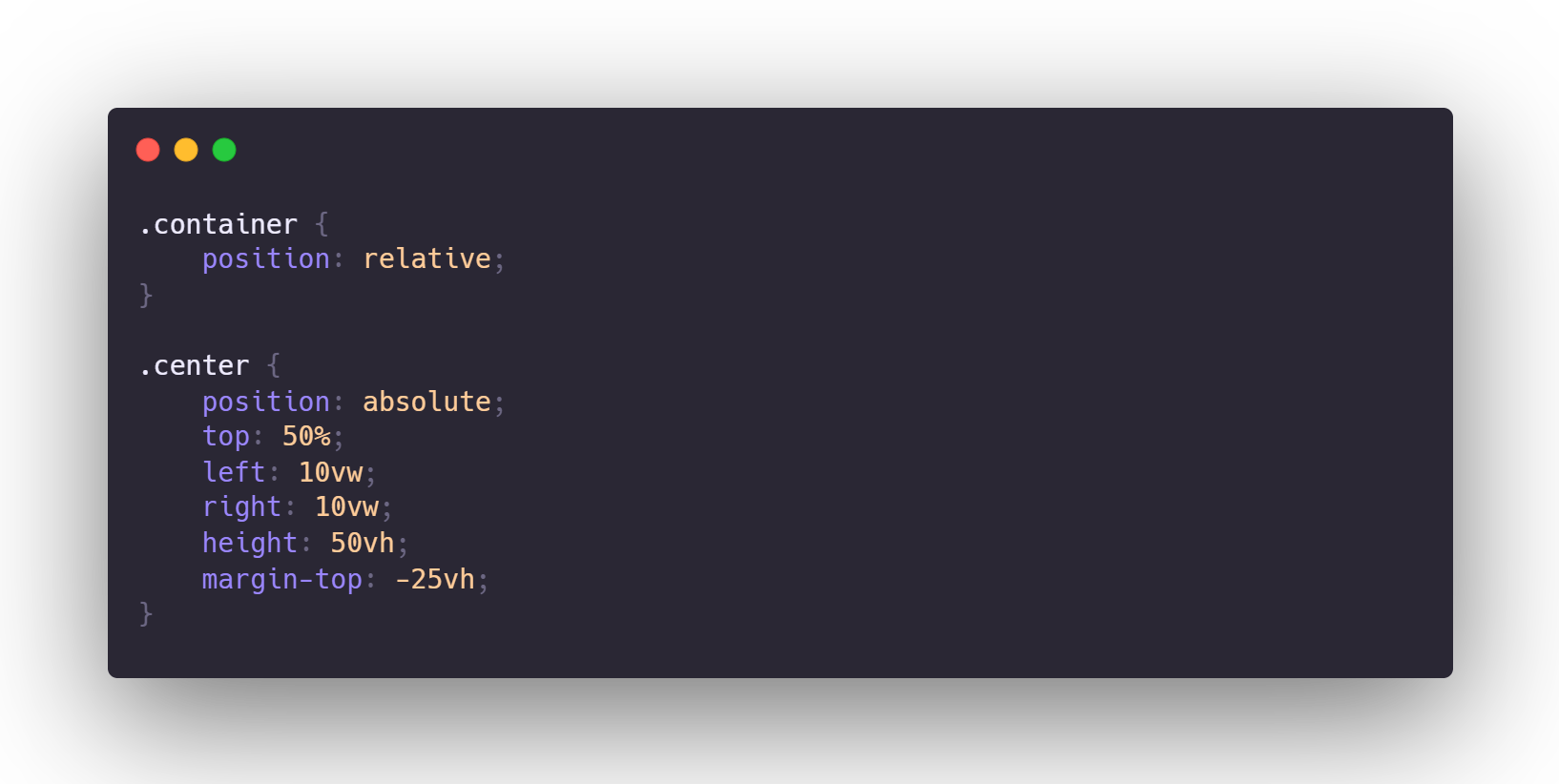
For many developers, this was one of the first and is still their go-to method. In this method, the top is placed in the vertical direction at halfway (50 percent). Then, using a negative margin, move the element's upper half over the mid-point.
3. Translate
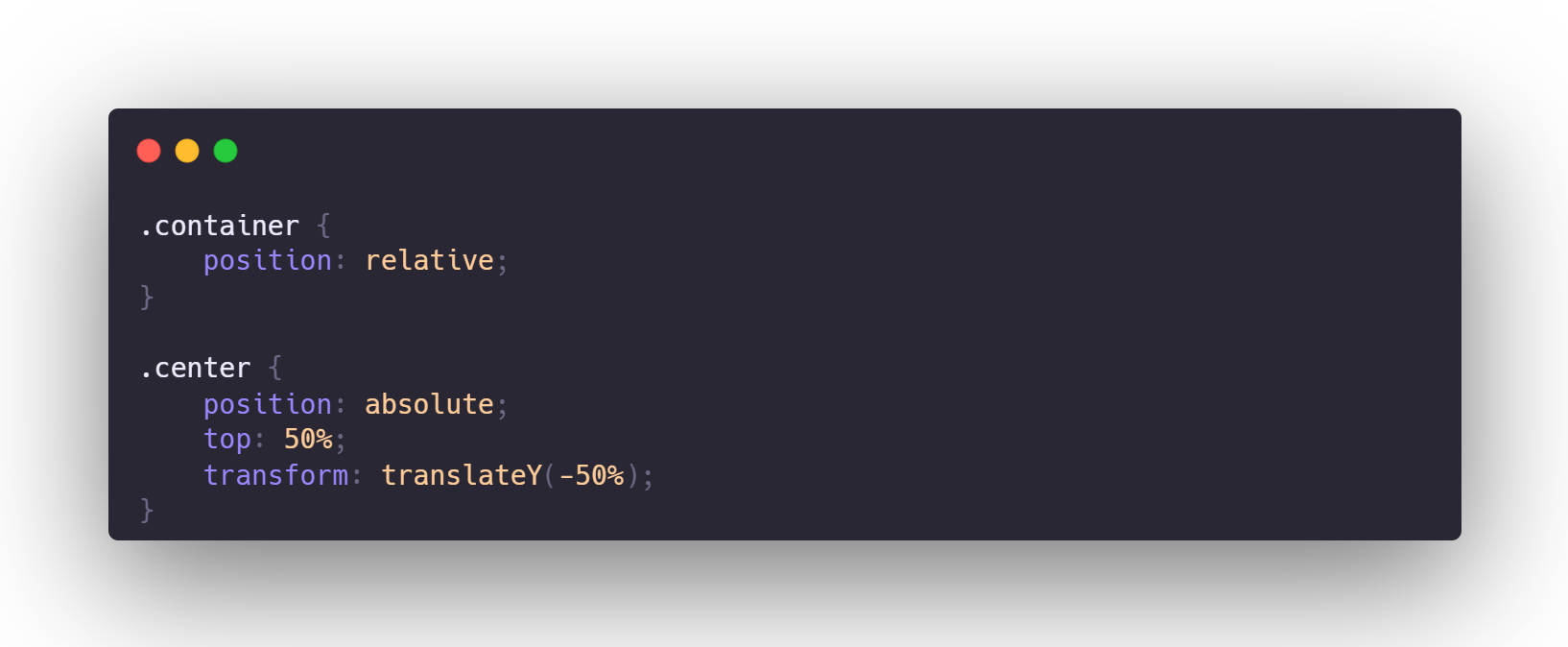
We can modify the last centering method to find a solution that solves the explicit heights problem. We use translateY to move the element up 50% along the y-axis after putting the top of the element in the center.
4. Tables and Vertical Align
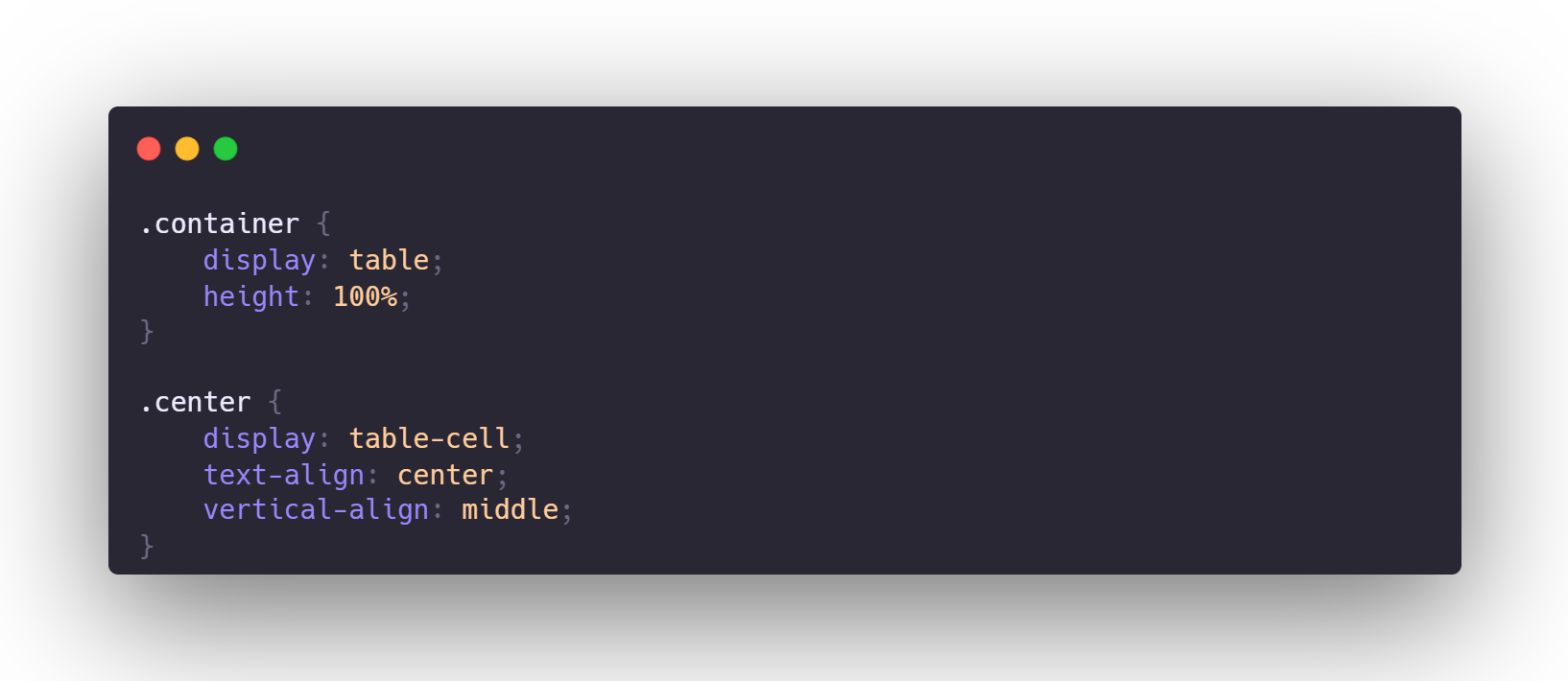
Using the behavior of table cells and vertical-align to center an element on the container is fairly easy and one of the first approaches back in the day, when everything was tabled.
For content inside table cells, CSS provides the vertical-align attribute. We may use this to center the content by declaring the element a table cell (and its parent as a table). Set the display of a div to table-cell if you're using one. You can also utilize actual table elements, however, this is not a semantically accurate option.
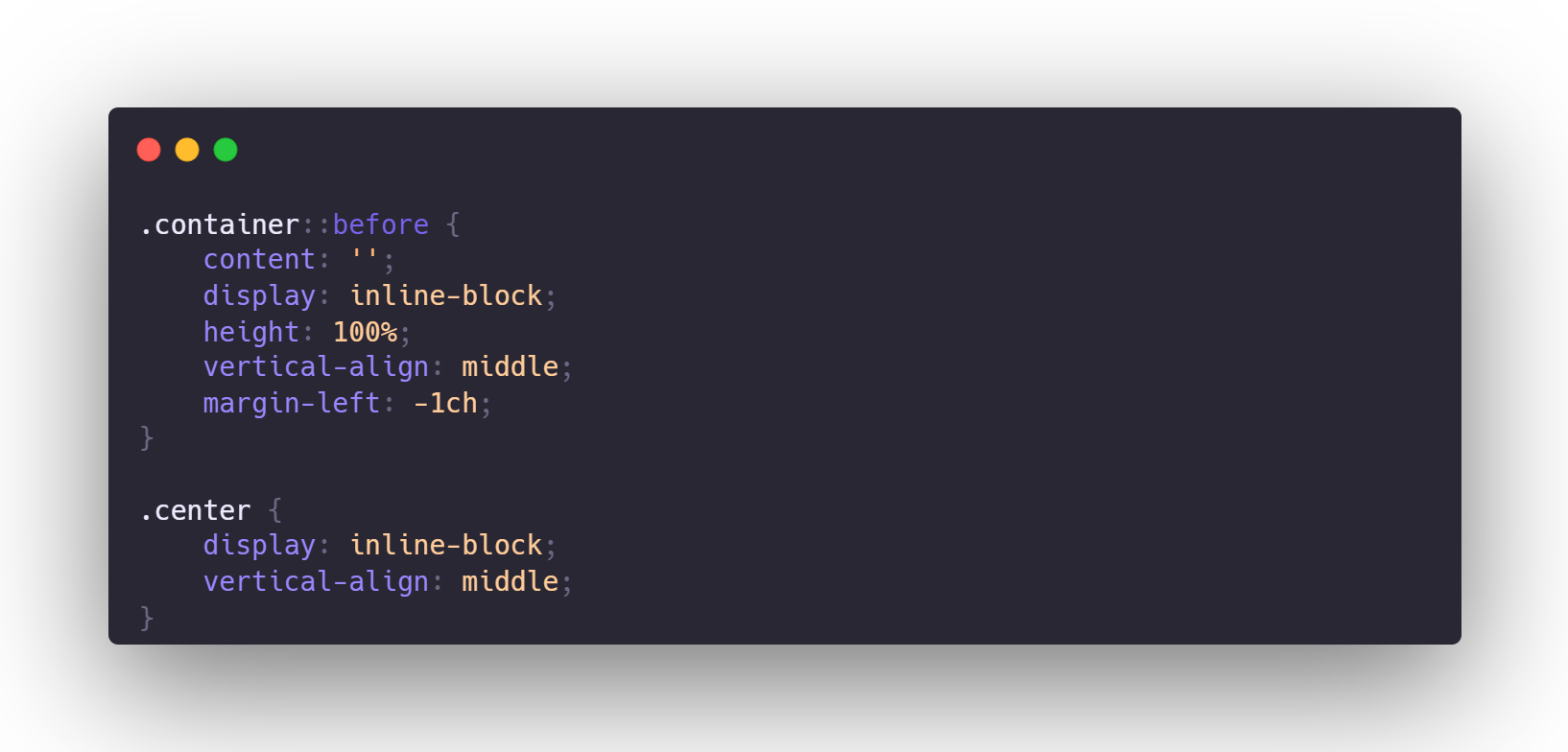
5. The Ghost Element
Using inline-block with a ghost (pseudo) element that has 100 percent of the parent's height and setting the vertical-align property to centre is another oldie that hasn't caught on for some reason.
The position property can be used to center an element vertically, which is an older CSS trick.
We can set the margin to auto and give the top and bottom positions of the element equal values. This automatically places the element on the y-axis with proper margins. To prevent the element from spanning the entire height, we must set the height of the element specifically. We've set the top and bottom positions to zero in this example.
2. Negative Margins
For many developers, this was one of the first and is still their go-to method. In this method, the top is placed in the vertical direction at halfway (50 percent). Then, using a negative margin, move the element's upper half over the mid-point.
3. Translate
We can modify the last centering method to find a solution that solves the explicit heights problem. We use translateY to move the element up 50% along the y-axis after putting the top of the element in the center.
4. Tables and Vertical Align
Using the behavior of table cells and vertical-align to center an element on the container is fairly easy and one of the first approaches back in the day, when everything was tabled.
For content inside table cells, CSS provides the vertical-align attribute. We may use this to center the content by declaring the element a table cell (and its parent as a table). Set the display of a div to table-cell if you're using one. You can also utilize actual table elements, however, this is not a semantically accurate option.
5. The Ghost Element
Using inline-block with a ghost (pseudo) element that has 100 percent of the parent's height and setting the vertical-align property to centre is another oldie that hasn't caught on for some reason.